Pak VIP App
Maybe a cousin showed it to you at a family dinner. Or perhaps a friend keeps sharing their invite link in your WhatsApp group.
Either way, the Pak VIP App has become a hot topic among mobile players across Pakistan. So what is it, and is it worth your time?
In this guide, we break down everything in plain words: the games, the wallet, the rewards, the risks and the fixes. By the end, you will know exactly how it works.

Pak VIP App at a Glance
Short on time? Here are the key facts in one place.
| Topic | Quick Answer |
|---|---|
| Name | Pak VIP App |
| Type | Mobile game and rewards platform |
| Works On | Android phones, plus browser access |
| Made For | Players in Pakistan |
| Menu Languages | Urdu and English |
| Wallets Accepted | JazzCash, Easypaisa and local banks |
| What You Need to Join | A Pakistani number and a password |
| Price | Nothing to install |
| Referral Plan | Available, with team commission |
| Help Desk | Live chat, open all day and night |
What Is the Pak VIP App?
At its core, Pak VIP is a single app that holds many small games. You will find color picks, spinning reels, card tables, fishing shooters and quick mini rounds inside it.
What makes it different is the reward side. When you win, the amount goes into your in-app wallet, and you can move it to JazzCash or Easypaisa later.
Apart from that, the app shares rewards with players who bring in friends. That blend of games and rewards explains why its user base keeps growing from Karachi to Peshawar.
Who Runs the Pak VIP Platform
Behind the app sits a private operating team. They handle the game lobby, the payment desk, the promotions and the customer chat.
Keep in mind that Pak VIP is not on Google Play. Rather, it is handed out as an Android install file through its own links, much like other local game apps.
That is exactly why the source matters so much. To stay on the safe side, use our Pak VIP download guide, where every step is laid out clearly.
Who Can Use Pak VIP
Almost anyone in Pakistan can join, as long as they have:
- A working Android phone and internet access
- A local SIM that receives text messages
- A mobile wallet or bank account registered in their own name
- The minimum age that the platform and Pakistani law require
In practice, many users are students, shopkeepers, office staff and homemakers who enjoy a quick game in their free time.
Why So Many Players Choose the Pak VIP Game
Let’s be honest: new game apps pop up in Pakistan almost every month. Even so, the Pak VIP Game has managed to hold on to its players. A few reasons stand out:
- Familiar payments: There is no need for cards. Your everyday JazzCash or Easypaisa account does the job.
- Low entry point: A small first top-up is enough to explore the app.
- Fast games: Most rounds wrap up in a minute or two.
- Urdu option: Players who are more at ease in Urdu can switch the menus in one tap.
- Regular extras: Check-in gifts, promo codes and VIP perks keep things fresh.
- Referral rewards: You collect a cut whenever your invited friends stay active.
Top Features of the Pak VIP App
Now, let’s look under the hood. These features are what keep players coming back.
Simple Urdu and English Menus
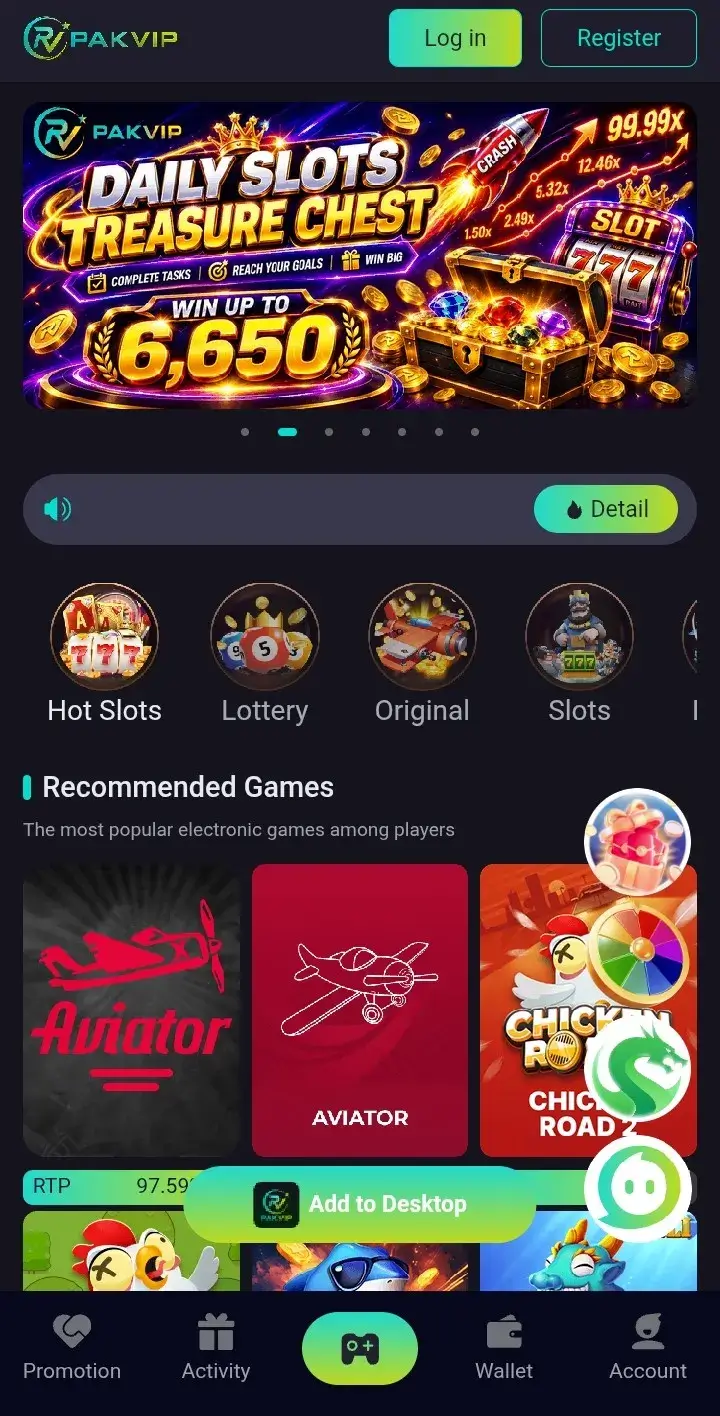
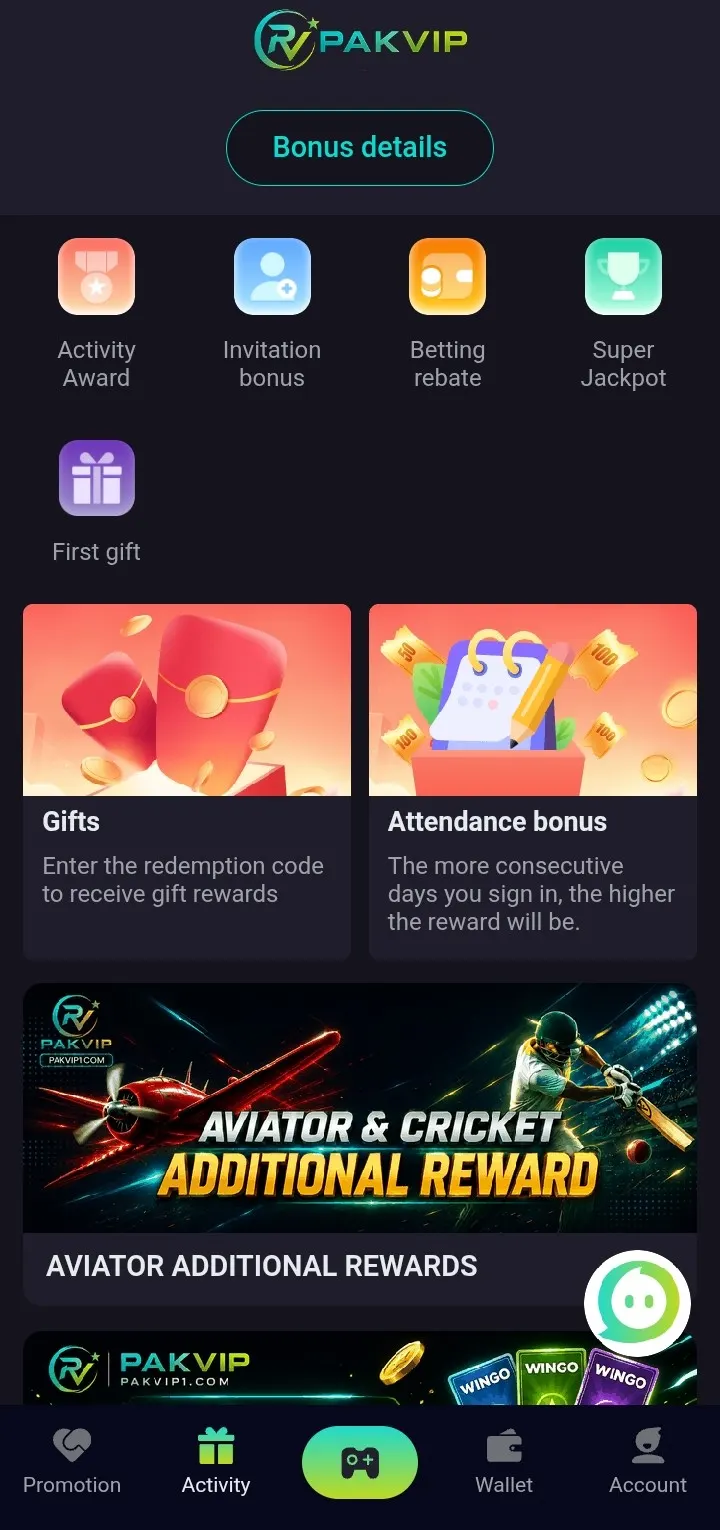
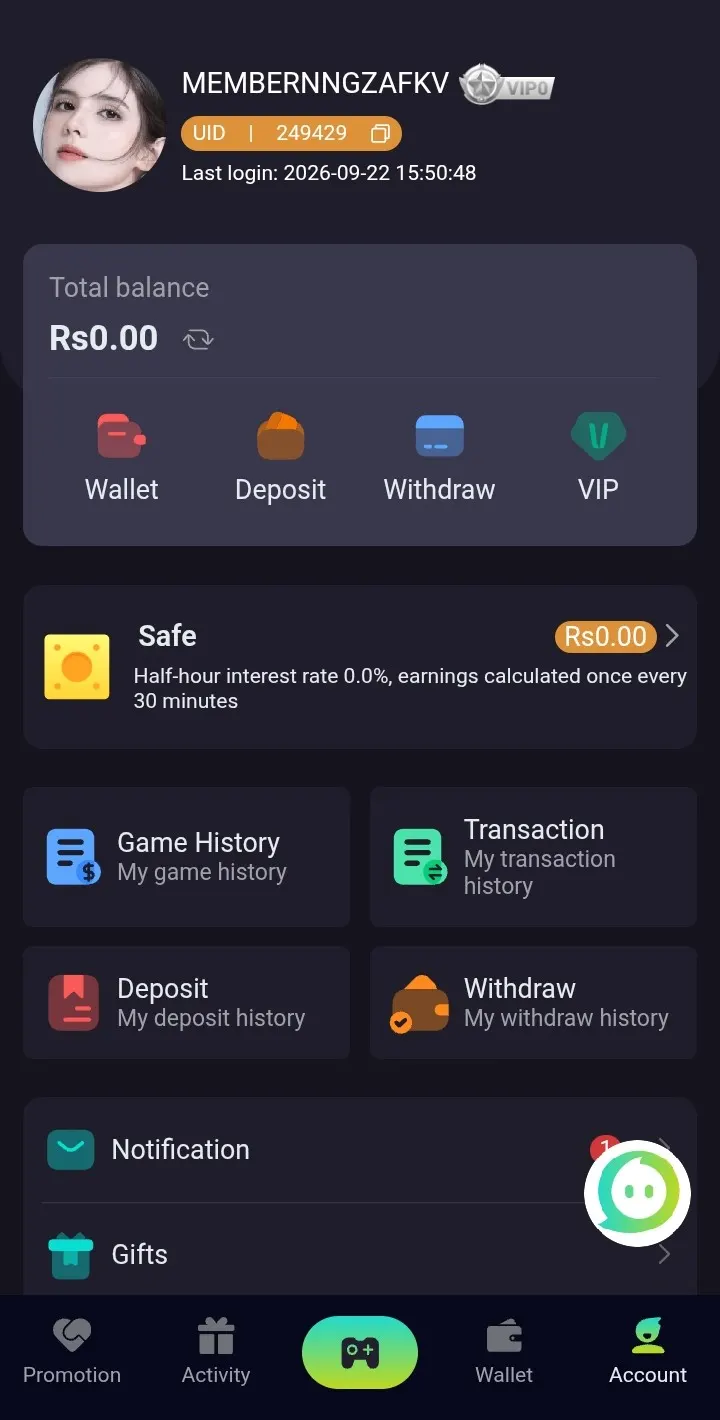
To begin with, the home screen feels uncluttered. A bottom bar gives you instant access to the lobby, wallet, offers and your profile.
What’s more, the language toggle sits right inside the settings. As a result, first-time users settle in quickly.
Runs Smoothly on Low-End Phones
Not everyone owns the latest phone, and Pak VIP seems to know that. The app stays quick and stable even on budget handsets.
Besides, it doesn’t eat up your data. A regular mobile bundle is usually more than enough for a day of play.
JazzCash and Easypaisa Support
Mobile wallets are part of daily life in Pakistan, so the app plugs straight into the two most popular ones. In turn, adding and pulling out balance feels just like paying a utility bill.
Two-Step Account Security
Whenever someone tries to sign in from an unknown device, the app sends a one-time code to your number. Because of this extra step, a stolen password alone won’t open your account.
Live Events and Tournaments
Every so often, Pak VIP hosts limited-time contests with larger prize pools. Weekend challenges are common, and special events often line up with Eid or 14 August.
Better still, the leaders of each event receive bonus rewards on top of their normal game wins.
Leaderboards and Player Rankings
Each game keeps a live scoreboard. Here, you can compare your results with other players on a daily, weekly and monthly basis.
For many users, chasing a higher rank is half the fun.
Instant Alerts and Notifications
The app pings you when a new offer goes live, an event starts or a cash-out clears. Of course, you can switch off any alert type you find annoying.
Round-the-Clock Help Desk
Last but not least, a support chat runs day and night. Agents reply in both Urdu and English, often in just a few minutes.
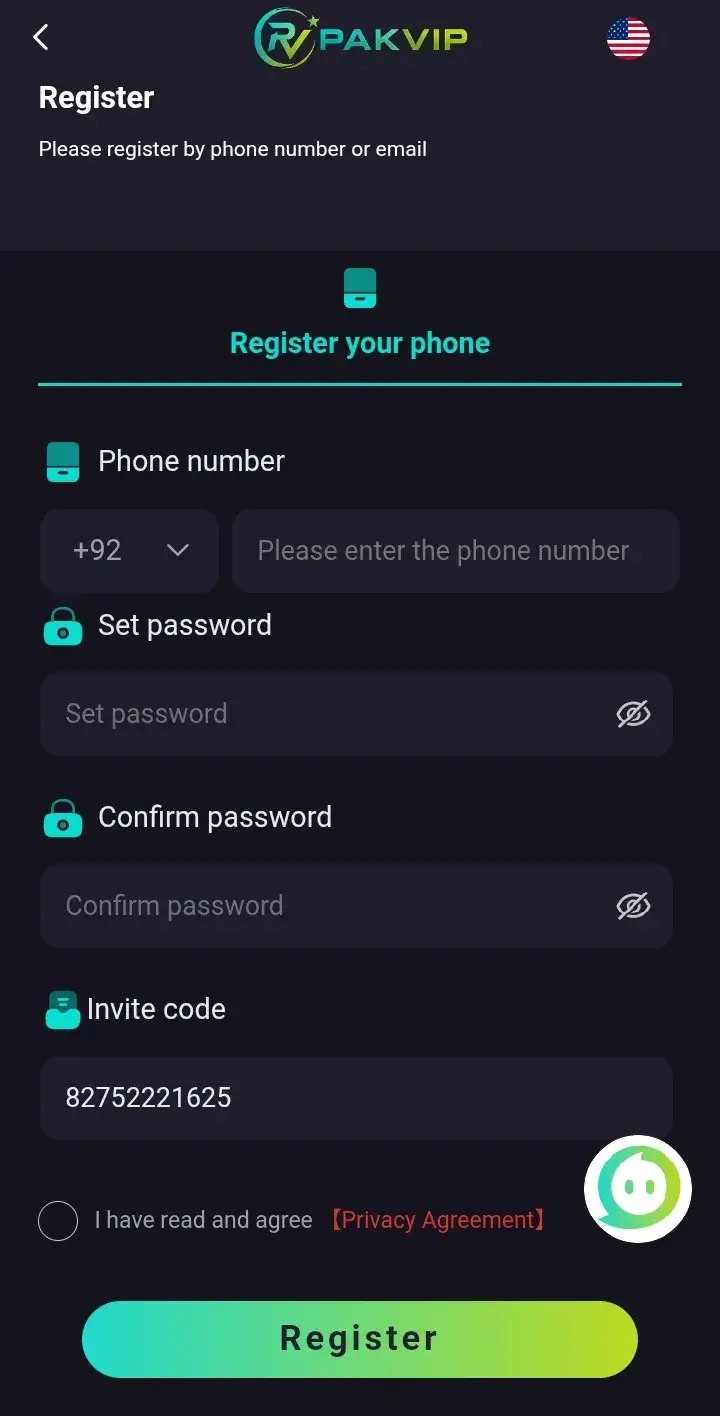
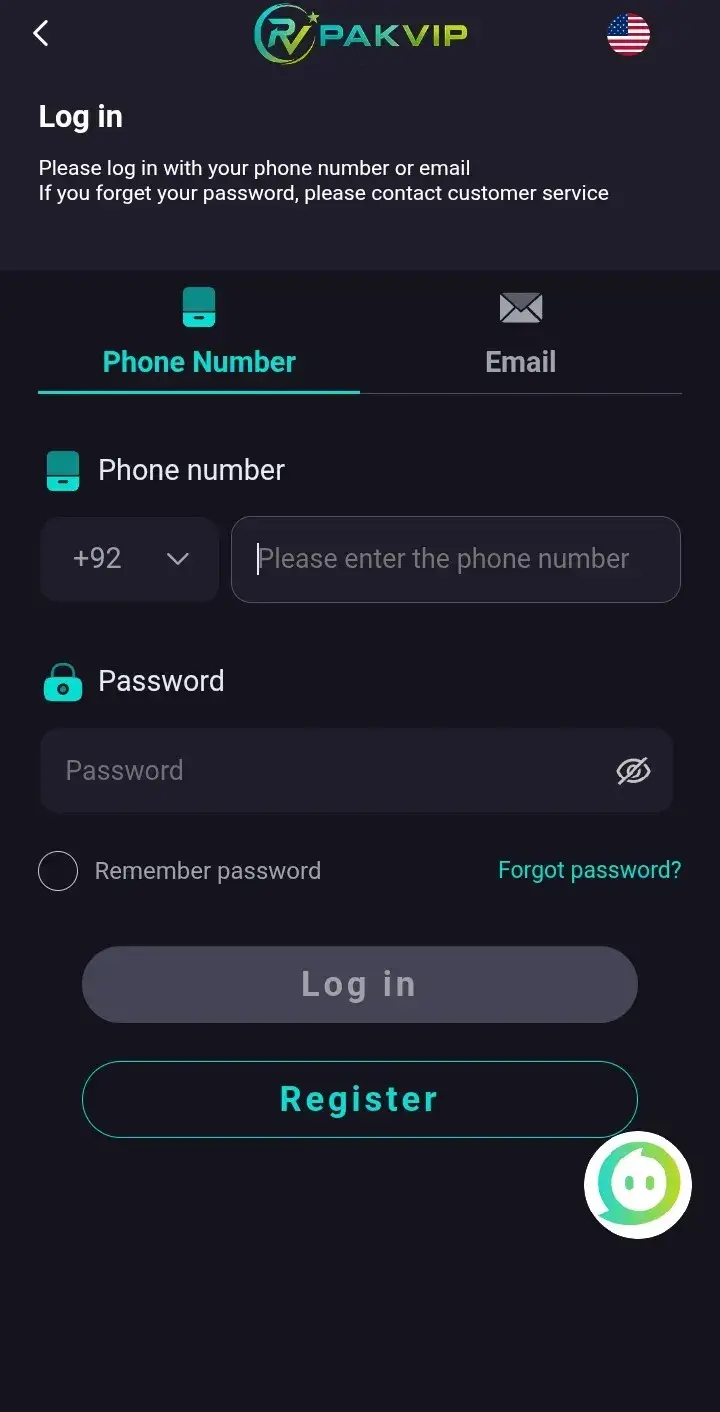
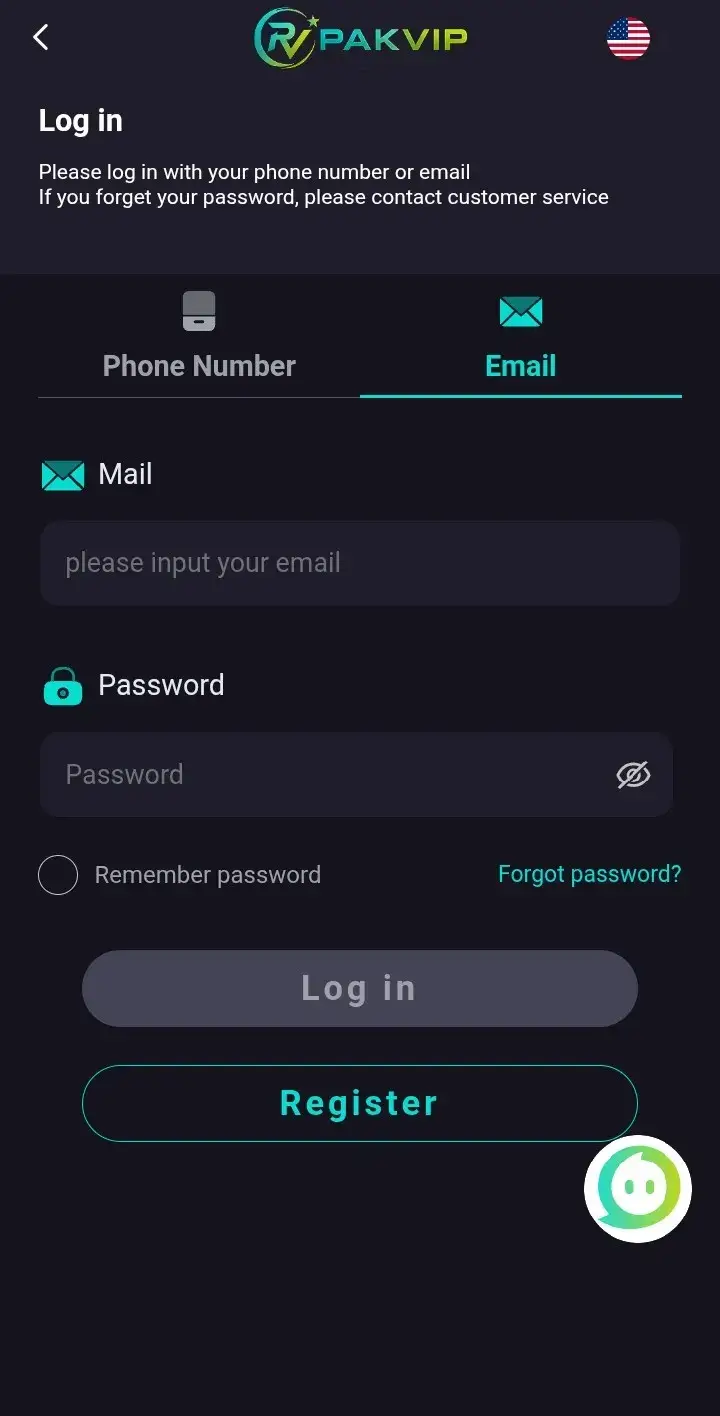
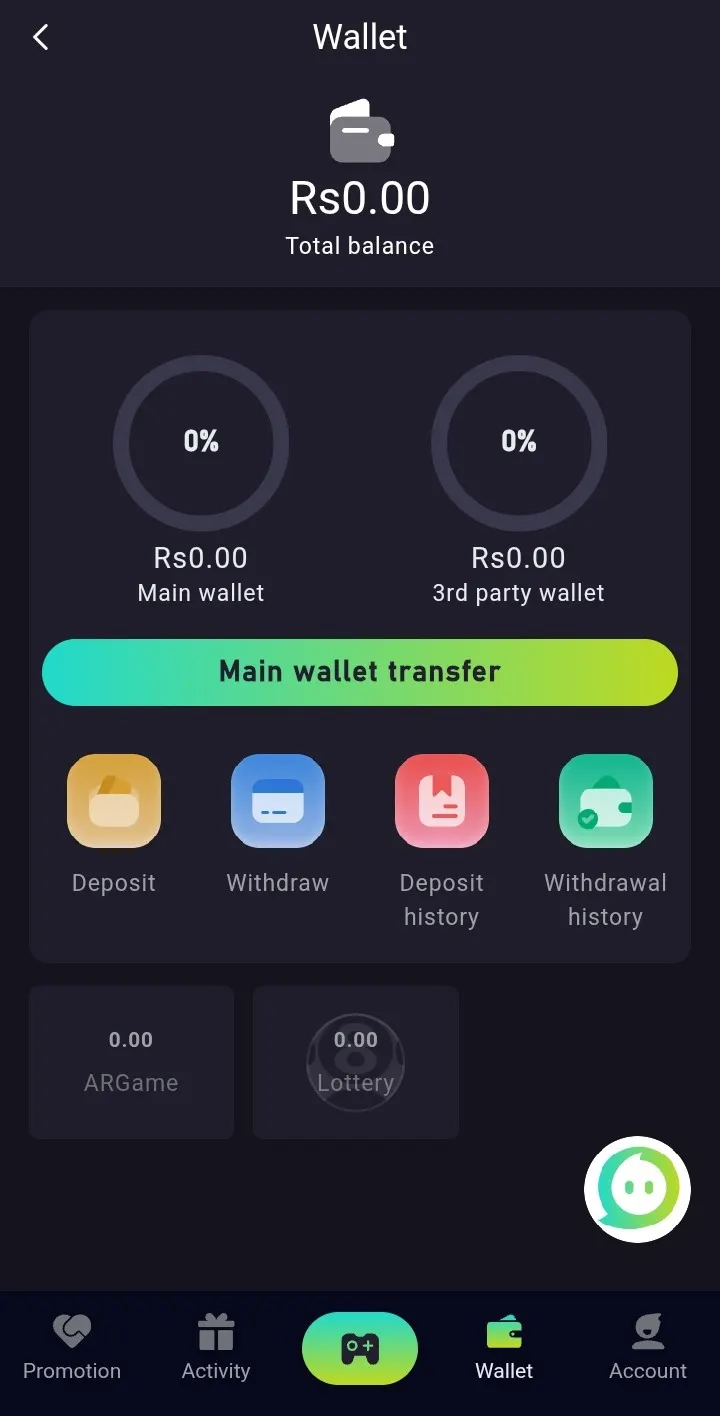
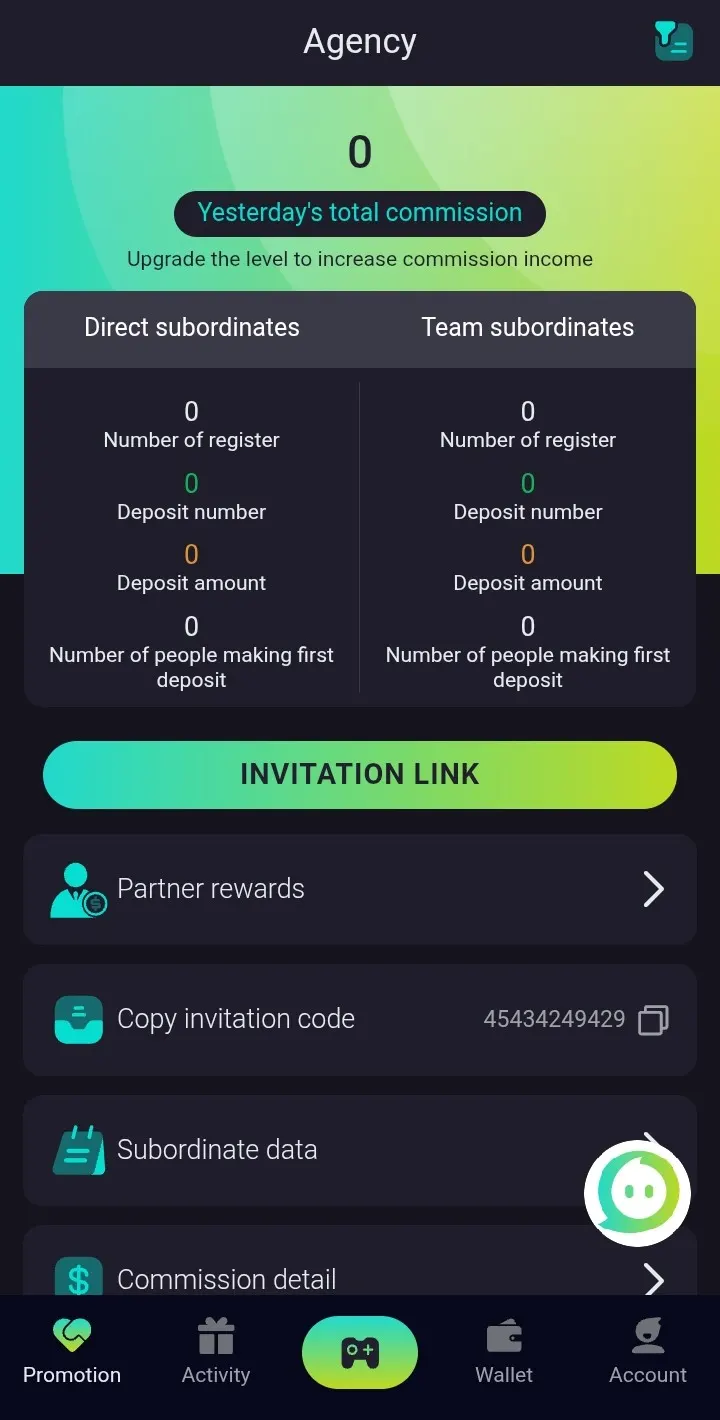
App Screenshots
Games You Can Play on Pak VIP
Here comes the exciting bit. The lobby sorts everything into neat categories, so finding a game never takes long.
Color Prediction Games
Without a doubt, this is the crowd favorite. The idea is simple: guess which color or number will come up next, then wait for the timer to run out.
There are several round lengths to pick from, ranging from one minute to ten. When your guess is right, the reward shows up in your balance at once.
Slot Games
Slot machines here come in all sorts of themes, from tropical fruit to treasure temples. All you do is choose a stake, press spin and watch the symbols settle.
In addition, several slots offer free-spin rounds and bonus features for bigger rewards.
Card Games
Card fans have plenty to enjoy, including Teen Patti, Rummy, Andar Bahar and Dragon vs Tiger.
Since most of us learned these games at home during holidays, the rules feel natural from the very first hand.
Lucky Number Games
This section works like a draw. You select your numbers, and then results are announced at set times each day.
Because there is nothing complicated to learn, beginners often start here.
Fishing and Arcade Games
Want something more hands-on? Then the fishing games are for you. Just move your cannon, fire at swimming fish and rack up points.
The rarer and bigger the fish, the higher your score. Therefore, patience pays off.
Crash and Aviator-Style Games
Picture a small plane climbing into the sky while a number beside it keeps going up. The goal is to tap cash-out before that plane disappears.
Tap early and you lock in a small reward. Hold on longer and the reward grows, but so does the chance of losing the round. In short, it is a test of nerve.
Quick-Round Mini Games
Finally, there are bite-sized games such as dice, coin toss, mines and plinko. Each round is over almost as soon as it starts, which makes them ideal for a quick break.
Which Pak VIP Game Suits You Best?
Every player is different. So, the table below should help you find your ideal starting point.
| Game | How Long a Round Lasts | Difficulty | Great Choice If You… |
|---|---|---|---|
| Color Prediction | One to ten minutes | Low | Want a simple guessing game |
| Slots | Seconds | Very low | Just want to relax |
| Card Games | A few minutes | Moderate | Enjoy planning your moves |
| Lucky Number | Set draw times | Low | Prefer to play once or twice a day |
| Fishing | Your choice | Moderate | Like fast, active gameplay |
| Crash | Under one minute | Moderate | Make quick calls under pressure |
| Mini Games | Seconds | Low | Only have a moment to spare |
Phone Requirements for the Pak VIP App
It is a good idea to check your device first. Here is what the app needs:
| Item | Minimum Setup |
|---|---|
| Android Version | 6.0 or later is best |
| Memory (RAM) | Around 2 GB for smooth play |
| Storage | Enough free room for the app and future updates |
| Connection | Reliable 3G, 4G or Wi-Fi |
| SIM Card | A working Pakistani number |
On top of that, keeping your phone’s software current makes outside app installs safer.
How to Get the Pak VIP App on Android
The whole setup is quick. Here is the path from start to finish:
- Grab your Android phone and launch a web browser.
- Head over to our Pak VIP App download page.
- Press the download button and wait for the file to save.
- Find the file in your Downloads folder and tap on it.
- Choose “Install” and let the phone do its work.
- Look for the new Pak VIP icon on your home screen.
Allowing Installs from Unknown Sources
Android is careful with apps that don’t come from Google Play. For that reason, you may see a warning the first time.
Here is how to get past it:
- Tap “Settings” on the warning box.
- Enable “Allow from this source” for the browser you used.
- Return to the file and press “Install” again.
Once the app is on your phone, feel free to switch that setting back off.
How to Update the Pak VIP App
Every few weeks, the team pushes out a newer build with fresh games and fixes. In most cases, a notice appears inside the app to let you know.
Just accept the update, and it will replace the older build on its own. If no notice appears, simply return to our download page for the newest file. Rest assured, your balance and account details carry over.
Can You Use Pak VIP on iPhone or PC?
At the moment, Apple users won’t find Pak VIP on the App Store. Still, they can open the official site in Safari and play straight from the browser.
For quicker access, press Safari’s Share icon and pick “Add to Home Screen”. That gives you a shortcut that works almost like an app.
Laptop and desktop users have options too. The web version runs in any modern browser, and emulators like BlueStacks can load the Android app on Windows.
How to Create Your Pak VIP Account
Opening an account costs nothing. Follow this short path:
- Start the Pak VIP App.
- Select the “Register” option on the first screen.
- Fill in your Pakistani phone number.
- Create a password that is hard to guess but easy for you to recall.
- Paste an invite code, if you have one.
- Type in the text code the app sends you.
- Confirm, and you are officially in.
Need screenshots? Our Pak VIP register guide walks through every screen.
Using an Invite Code While Signing Up
Did someone share an invite code with you? If so, drop it into the code box on the sign-up form. Often, this gives you a small starter gift.
Meanwhile, it also places you in that person’s team, and they get a little reward from your activity. Since the box usually can’t be filled later, add the code before you tap confirm.
Verifying Your Phone Number
As soon as you submit your number, a one-time code arrives by text. Enter it quickly, because it only stays valid for a short time.
Didn’t get it? Give it a minute, then press “Resend”. Also, check that your phone has signal and enough space for new messages.
How to Sign In to Your Pak VIP Account
Returning to the app is even quicker than signing up:
- Launch Pak VIP and choose “Login”.
- Fill in the phone number linked to your account.
- Add your password.
- Tap the sign-in button, and the lobby opens.
Having trouble? Our step-by-step Pak VIP login guide covers every common snag.
How to Reset a Forgotten Password
Forgetting a password is no big deal. Here is how to set a fresh one:
- Go to the sign-in page and pick “Forgot Password”.
- Provide the phone number on your account.
- Enter the text code that arrives.
- Type a new password twice to confirm it.
- Head back and sign in with it.
Keeping Your Account Secure
A few simple habits go a long way in guarding your account:
- Keep your password and text codes to yourself, even if a caller claims to be from support.
- Build a password from a mix of letters, digits and symbols.
- Always sign out on a borrowed or shared phone.
- Leave the two-step check turned on at all times.
- Swap your password for a new one every couple of months.
Adding Balance and Cashing Out on Pak VIP
For most players, the wallet is the heart of the app. Thankfully, the payment side uses services Pakistanis already rely on every day.
Supported Payment Wallets
| Payment Option | Add Balance | Cash Out | Typical Time |
|---|---|---|---|
| JazzCash | Available | Available | A few minutes |
| Easypaisa | Available | Available | A few minutes |
| Local Bank | Available | Available | A few hours |
How to Link Your Wallet
Before you can receive any payout, the app needs to know where to send it:
- Open your profile and find “Bind Account” or “Wallet Settings”.
- Choose the wallet or bank you prefer.
- Fill in the account number and holder name.
- Tap save to lock it in.
Be careful here: the holder name should match your wallet exactly. If it doesn’t, the payout may be put on hold.
How to Top Up Your Wallet
- On the main screen, press “Top Up”.
- Pick one of the ready-made amounts or enter a custom figure.
- Choose JazzCash or Easypaisa as the method.
- Approve the payment inside your wallet app using your MPIN.
- Return to Pak VIP and watch your balance update.
How to Cash Out Your Winnings
- Go to the “Wallet” section and choose “Cash Out”.
- Enter how much you’d like to pull out.
- Select the wallet you linked earlier.
- Add your security password when prompted.
- Send the request and look out for a confirmation note.
Top-Up and Cash-Out Limits
The entry amount is kept small on purpose, so beginners can test the waters. Typically, players start with a few hundred rupees.
Payouts, on the other hand, come with both a lower limit and a daily cap. Higher VIP ranks tend to unlock larger caps. Because these numbers are updated from time to time, check the wallet page before each request.
How Long Does a Cash-Out Take?
Wallet payouts through JazzCash or Easypaisa usually land within a few minutes. Bank payouts can take several hours instead.
That said, your very first payout might need a short review, which adds some time. Public holidays and wallet network issues can also slow things down.
Checking Your Transaction History
Every transaction is logged in one spot. Just open the wallet and go to “History” or “Records” to view each entry along with its date, amount and status.
Spot something odd? Grab a screenshot and send it to the support chat.
Pak VIP Bonuses and Daily Rewards
Game wins aren’t the only way to grow your balance. Pak VIP also runs a long list of rewards.
Welcome Bonus for New Players
Fresh accounts usually receive a first top-up bonus. Put simply, the app matches part of your first top-up with extra balance.
To see the current deal, open the “Promotions” tab right after signing up.
Daily Check-In Rewards
Opening the app every day pays off. Each time you tap “Check In”, you collect a gift, and the gift gets bigger as your streak grows.
Skip a day, however, and your streak resets to the start.
Gift Codes and Redeem Codes
The Pak VIP team regularly posts promo codes on its official social channels. To claim one, head to your profile, choose “Redeem Code”, paste it in and confirm.
Be quick, though. Codes run out after a set number of uses or a short time limit.
Weekly and Festival Offers
Beyond daily gifts, the app runs weekly rebates and special top-up days. Moreover, bigger seasonal promos tend to arrive around Ramadan, Eid, Independence Day and the New Year.
Rules You Must Meet Before Cashing Out a Bonus
Here is something new players often miss. Bonus balance usually carries a turnover requirement before it can be cashed out.
Say a bonus has a 5x requirement. In that case, you need to play through five times its value first. So, always glance at the offer’s terms before tapping claim.
Pak VIP VIP Levels Explained
True to its name, Pak VIP ranks its players by level. As your total activity rises, you move up the ladder and unlock better rewards.
| Rank | How to Get There | What You Unlock |
|---|---|---|
| VIP 1 | Finish your first top-up | Check-in gifts and standard help |
| VIP 2–3 | Play regularly each week | Rank-up gifts plus a small weekly rebate |
| VIP 4–5 | Build up more total play | Larger rebates and higher payout caps |
| VIP 6–8 | Stay active over a long period | Quicker payouts and seasonal gifts |
| VIP 9–10 | Be among the most active users | A dedicated account manager and top-tier bonuses |
Please note that level targets may be adjusted over time. The “VIP” tab in the app always shows the current ones.
Pak VIP Agent and Invite Program
Playing is one side of the app. The other is the agent plan, which rewards you for building an active circle of players.
How Invite Commission Works
Every user receives a unique invite link and code. Anyone who joins through it becomes part of your team.
From then on, a slice of their activity is credited to you as commission. Many plans go deeper too, paying you from the people your friends invite.
All of this shows up in your agent dashboard, and a single tap shifts it to your main wallet.
Steps to Become a Pak VIP Agent
- Sign in and tap the “Agent” or “Invite” tab.
- Copy the unique link or code shown there.
- Post it on WhatsApp, Facebook or send it to friends.
- Keep an eye on new members and their activity.
- Claim your commission on a daily or weekly basis.
Tips to Grow Your Team
- Be upfront about how the app works, including its risks. Trust builds bigger teams.
- Film simple Urdu tutorials on joining and topping up.
- Run a group chat for promo codes and event alerts.
- Help each newcomer with their first top-up and payout.
- Keep playing yourself, since active agents inspire their teams.
Beginner Tips for Color Prediction Games
Given how popular color prediction is, it makes sense to go in prepared. Keep these pointers in mind:
- Go easy at first: Stick with the smallest stake while you learn.
- Observe before joining: Sit out a few rounds just to get the feel.
- Read the reward rates: Colors, violet and numbers each carry a different reward, so check the rules page.
- Avoid revenge play: Doubling up after a loss usually leads to bigger losses.
- Accept the luck factor: Each result is random. No chart, pattern or paid “tip” can predict it.
- Pick a stopping point: Decide before you start when you’ll call it a day.
Is the Pak VIP App Safe to Use?
Any app installed outside Google Play deserves a closer look. On the positive side, Pak VIP uses text-code checks, secure wallet payment screens and well-known local payment partners.
Even so, every online reward game carries some risk. Balances can drop as well as rise, and outside apps skip Google’s review process. With that in mind, only use an amount you won’t miss.
How to Spot a Fake Pak VIP App
Unfortunately, fake copies do float around. Be alert if you notice any of the following:
- A download site crowded with pop-ups, or one that forces extra app installs.
- An app that asks for a CNIC picture, your bank PIN or your wallet MPIN.
- Anyone offering a “fixed” or “guaranteed” daily income.
- A stranger on WhatsApp posing as support and requesting your code.
- A logo, name spelling or screen design that looks a bit wrong.
Spot any of these? Then delete the file right away and use a reliable source instead, such as our Pak VIP download page.
How Pak VIP Protects Your Data
The sign-up form keeps things minimal: a phone number, a password and payout details. Payments are approved inside your own wallet app, so Pak VIP never gets hold of your MPIN.
Beyond that, one-time codes on unfamiliar devices add another layer of protection.
Smart Tips for New Pak VIP Players
The best way to enjoy Pak VIP is to stay in control. Try these habits:
- Fix a spending cap for the day or week, and don’t cross it.
- Think of top-ups as paying for fun, never as a way to cover bills.
- Pause for a few minutes after every handful of rounds.
- Don’t use borrowed funds to play.
- Stay away from the app when you feel low, angry or tired.
- When it stops being enjoyable, take a proper break.
Common Pak VIP App Problems and Quick Fixes
No app is perfect. Luckily, most Pak VIP issues have simple solutions.
App Not Installing
- Allow your browser to install unknown apps in settings.
- Clear some space by deleting old videos or photos.
- Remove any broken download and grab a fresh copy.
- Uninstall an older Pak VIP build before installing the new one.
Login or OTP Not Working
- Make sure the number matches the one on your account.
- Give it a full minute, then request a new code.
- Turn your phone off and on to reset the signal.
- Use “Forgot Password” if you doubt your current one.
Cash-Out Stuck or Delayed
- Check that your bound wallet name matches your profile name.
- See if a bonus turnover rule is still active.
- Open the transaction history to track the request.
- If a full day passes, contact support and share the transaction ID.
App Crashing or Running Slow
- Shut down apps running in the background.
- Clear the Pak VIP cache from your phone’s app settings.
- Try switching between Wi-Fi and mobile data.
- Get the newest build from our download page.
How to Contact Pak VIP Support
Got a question or a problem? You can reach help in a few ways:
- In-app chat: Look for the headset or “Service” button inside the app. This is usually the quickest route.
- Telegram or WhatsApp: Official contact links are listed in the support area of the app.
- Your team leader: If an agent invited you, they can often guide you as well.
To speed things up, send your player ID along with a screenshot and a short explanation of the issue.
What Players Say About Pak VIP
If you read through player groups and comment threads, a few themes keep coming up:
- Top praise: Speedy wallet payouts, lag-free gaming on cheaper handsets and a huge game list.
- Also appreciated: Frequent promo codes and lively festival events.
- A common gripe: First payouts can sometimes take longer than people expect.
- A fair warning: A few players admit they lost track of their spending, which shows why limits matter.
All in all, the feedback leans positive on speed and variety. At the same time, experienced users keep reminding others to stick to a budget.
Pros and Cons of the Pak VIP App
| What Works Well | What to Watch Out For |
|---|---|
| No cost to install or sign up | Missing from the Google Play Store |
| Direct JazzCash and Easypaisa support | No dedicated iPhone app |
| Menus in Urdu and English | Bonuses carry turnover conditions |
| Light enough for budget phones | Outcomes rely on luck |
| Support chat open day and night | First payout may involve a review |
| Referral plan with team rewards | Spending can add up without a limit |
Pak VIP vs Other Game Apps in Pakistan
How does Pak VIP stack up against the usual local game app? Here is a side-by-side look.
| Area | Pak VIP App | Average Local Game App |
|---|---|---|
| Payment choices | JazzCash, Easypaisa and banks | Often limited to one wallet |
| Languages | Urdu and English | Usually English only |
| Range of games | Color, slots, cards, fishing, crash and mini games | A narrower mix |
| Loyalty perks | Several VIP ranks with growing rewards | Few or none |
| Referral plan | Rewards across multiple team levels | One level, if any |
| Support | Live chat around the clock | Set office hours |
| Budget phone performance | Smooth | Hit or miss |
Final Words on the Pak VIP App
All things considered, Pak VIP offers a lot for a free app. It combines fast games, local wallet payouts, daily gifts, VIP ranks and a referral plan in one Urdu-friendly package.
Still, the players who enjoy it most are the ones who treat it as a hobby. Keep a limit in place, have fun with the games and move your wins to your wallet often.
Want to give it a try? Start at our download page, set up your profile on the register page, and then log in to play your first round.
Frequently Asked Questions (FAQs)
Is the Pak VIP App free to download?
Absolutely. There is no charge to install the app or open an account. You only add balance if and when you want to play.
Can I use Pak VIP on an iPhone?
Not as a store app just yet. However, iPhone users can play through Safari and save a shortcut to their home screen.
Which wallets work for top-up and cash-out?
You can use JazzCash and Easypaisa. Besides these two, local bank accounts are supported as well.
How long does a cash-out take?
Wallet payouts often arrive within a few minutes. Bank payouts and first-time requests may need a few hours.
What should I do if I forget my password?
Choose “Forgot Password” on the sign-in screen, verify through the text code and pick a new password.
Can I use one phone number for two accounts?
No, each number is tied to a single account. Running duplicate accounts may lead to all of them being suspended.
Does Pak VIP work in Urdu?
It does. A quick change in settings switches the menus from English to Urdu.
Where can I find a Pak VIP gift code?
Keep an eye on Pak VIP’s official social pages and Telegram channels. Agents also share codes now and then, so claim them before they run out.
How do I move up to a higher VIP level?
Simply keep playing. Your rank climbs as your total activity grows, and the “VIP” tab shows your progress.
Can I delete my Pak VIP account?
Yes, you can. Move any leftover balance to your wallet first, and then ask the support chat to close the account.
Why is my bonus not showing?
There could be a few reasons. For instance, the offer might require a certain top-up amount, its time window may have closed, or the system could still be processing it. If it still doesn’t show, message support with a screenshot.